Category Archives: BlackBerry

Black Out updated to version 1.3

The PlayBook and Nook game Black Out has been updated in BlackBerry AppWorld and the Nook Bookstore this past weekend. Version 1.3 updates the look and feel of the games, and now allows you to submit high scores by simply hitting ‘submit’ on the keyboard.

How to Play

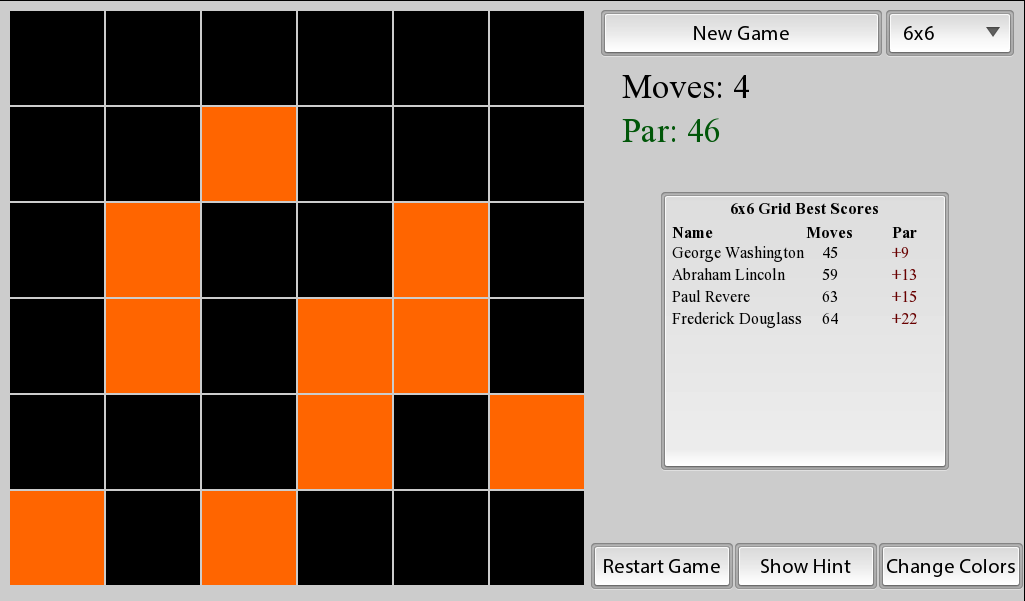
The goal to Black Out is to tap the tiles, so that they all get ‘blacked out’. This is complicated because whenever you tap to flip a tile, it also flips all of the tiles surrounding it. As such it requires a well laid out strategy.

In order to accommodate different difficulties, the game supports board sizes from 3×3 all the way up to a 10×10 grid. Furthermore, there is also a hint button in case you find yourself in need of help.

Links & Information


Version 2.2 of Binary Clock app released

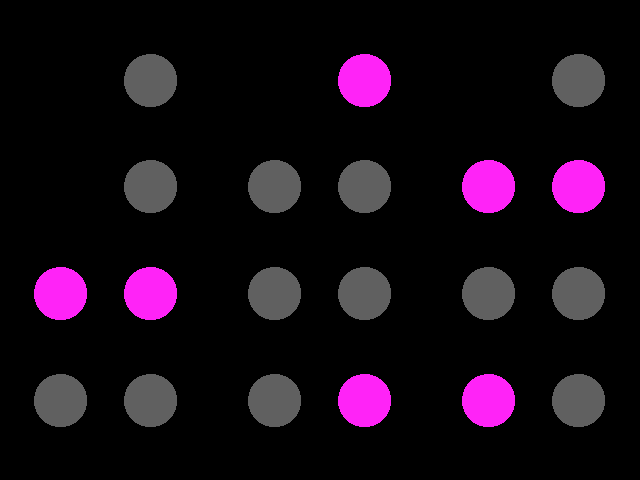
The Binary Clock application has been updated to version 2.1 in BlackBerry AppWorld. This update adds pink and orange as additional color options. Also if you have made the $0.99 in-app purchase to automatically display the clock when charging, the app will now show when charging via, a charging pod, as well as when charging via USB.

How to read

A binary coded decimal can be read with each column added up with each light worth (from top to bottom) 8, 4, 2, and 1, and the column on the left being worth 40, 20, and 10. This is done with each set, which (from left to right) are for hours, minutes, and seconds. For example, the clock to the right shows a time of 4 hours, 22 minutes, and 37 seconds. For more information on reading Binary Coded Decimals see Wikipedia.

Links & Information

Xploding Boxes reaches 300 levels

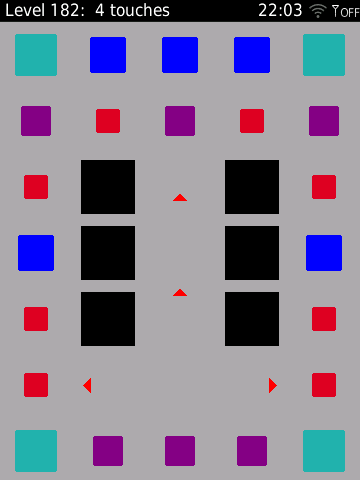
Xploding Boxes has been updated to version 3.2 in BlackBerry AppWorld, and the Nook bookstore. This update expands the number of levels to 300, and also adds some speed control to high res BlackBerry 7 devices.

About Xploding Boxes

Xploding Boxes is a strategy game for BlackBerry and Nook, where the goal of the game is to start a chain reaction that will explode all of the boxes on the screen. Each level gives you a different number of touches, and requires a different strategy to solve. The first 25 levels are free, while the full 300 levels can be accessed by making an in-application payment and requiring no further downloads. This game is available for the PlayBook, most smartphones running OS 5.0 or higher, and the Nook Color and Nook Tablet.

New in Version 3.3

In addition to the new levels, version 3.3 also adds the ability to increase the game speed on Bold and Torch phones running OS 7.0 or higher. This can be adjusted from the options page. This feature has already existed on the PlayBook since the last update.

Links & Information

What wasn’t seen at BlackBerry World

Much has already been written about what was said at BlackBerry World and BlackBerry 10 Jam. (The most interesting probably being this article done by Forbes). But I think that it is even more interesting to look at what didn’t happen during this week.

Android was nowhere to be seen

Most attendees at BlackBerry World were using a BlackBerry Bold (about 80% of the crowd). Another 10% were using a BlackBerry Torch, and the remaining 10% were using iPhones. I really don’t think that I saw a single Android device during the entire event. What is more is that despite the announcement that BB10 would allow Android apps to run in their own windows, nobody seemed all that interested in writing Android apps, with the attention being placed on Cascades and HTML5/bbui.js instead.

Nobody was complaining about the lack of support for BBOS java apps

At BlackBerry DevCon this last fall you could not go anywhere without running into someone complaining about the lack of support for BlackBerry Java apps on the platform. While it wasn’t the slightest bit of a surprise to those of us paying attention, it was a very annoying to have to hear about it again and again. Fortunately, those people have finally gotten over themselves. Perhaps is was due to seeing how non-native the Android apps looked and acted, or by seeing how easy Cascades was to work with, but I didn’t run into anyone still bemoaning the point.

Dan Dodge wasn’t there

Despite his recent promotion, nobody seems to have seen Dan Dodge at the event. He has always preferred to be a behind the scenes type of guy, but in retrospect it was a bit weird that he wasn’t in Orlando. So John Pinkerton tells me that Dan Dodge was at the event. Still interesting that he was at BlackBerry World, rather then on the tech side of things.

There was a lack of media at BB10Jam

It was surprising to see how much most of the media just shrugged its shoulders in regards to BB10Jam and made little to no attempt to cover it. In the article mentioned at the top of the post, Brian Caulfield wrote about how he “sneaked” in. But even from the blogs there was very little coverage. The bloggers that are typically at these types of events were only seen at the joint party at Universal Studios.

In conclusion

Are any of these points really that significant? Probably not. Still, this is my way of reporting on what happened this past week in Orlando without pointlessly rehashing what everyone else has already written.

Presenting today at #BB10Jam

For those planning their schedules today at BlackBerry 10 Jam, I would like to remind you that my session is this afternoon at 4:45 in the BC Salon XI room. The title of the talk is “COM102 – Supporting your App after release”, but it will include a complete look at what it takes to succeed as a BlackBerry developer. Come and find out what was lead to success in the past, and what you need to do in order to find success in the future with BlackBerry10.

Advantages of carrier billing

A year since I last looked at the data for BerryReview, Carrier Billing remains a significant advantage for selling apps.

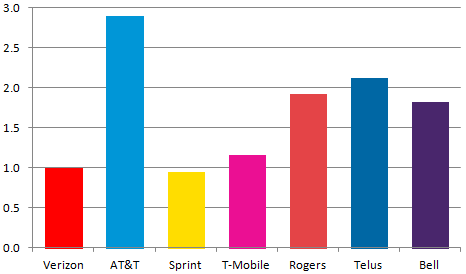
Comparative purchase rates for Pixelated Plus are shown in the above chart for the seven largest carriers in North America. Of these seven carriers, only Verizon and Sprint do not yet support carrier billing. Across all these carriers, customers who have access to carrier billing are 2.14 times a likely to make a purchase.

The measurements in this chart are relative to the number of purchases at Verizon Wireless (the largest carrier), such that Verizon would always have a value of 1.00. The number of purchases is based upon purchases of Pixelated Plus from January-March 2012. Normalization for carrier size was based on data from the free application Pixelated over the same time period. All data was collected through BlackBerry AppWorld at the time of download.

Farkle gets multi-player support

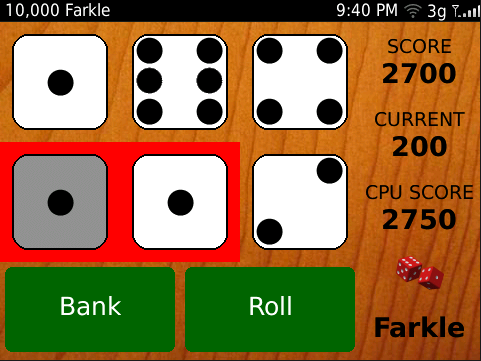
10,000 Farkle has been updated to version 2.0 in BlackBerry AppWorld. This new version integrates with BBM to add the ability to play multi-player games.

How to Play

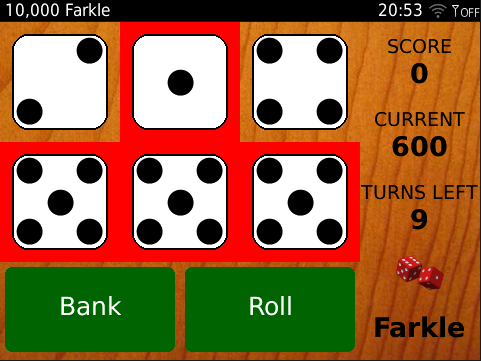
Farkle gives you six dice to roll and awards points for a straight, three pairs or three or more of the same number. Fewer points ares also awarded for each individual 1 and 5. Any dice that do not score can be re-rolled for additional points. If all 6 dice can be scored, then all of the dice can be re-rolled on the same turn.

The skill in this game comes from knowing how far to push your luck, and which scoring combinations to take, and when to re-roll.

The default game mode gives you 10 turns to score as many points as you can. The 10,000 point mode is the traditional way to play, where the goal is to reach 10,000 points in as few turns as possible. The competitive game modes (“vs Friend”, “vs Computer” “vs BBM Friend”) all use the traditional race to 10,000 points.

BBM Multi-player games

To play against one of your BBM friends, you first need to change the game mode in the menu to “vs BBM Friend”. You will then have the option to start a new game against one of your friends on BBM. It is required for both of you to have the game installed, so there is a second link that you can use to invite your friends who don’t yet have the app, to download it from AppWorld. The game then plays under the traditional rules, with the first over 10,000 points as the winner.

Links & Information

Thoughts on YouMail and BlackBerry

A few days ago YouMail announced their final update to their BlackBerry app. This has generated a lot of (misinformed) attention about the future of YouMail, and BlackBerry.

The main problem is that YouMail forgot to consider how their blog post would be read. At BlackBerry 10 Jam, I am going to be giving a talk on how to support your app after launch, and one of the main points is that everything is marketing. This includes blog posts announcing a new release of your product. With a different choice of words in the post, the stories would be about how YouMail is improving their BlackBerry app.

As a business decision, ending future development for the BlackBerry OS is probably the right move for them. They already have a BlackBerry app that has had 2+ years of development behind it. We know that RIM is not going to release any new API’s or formfactors to their current line of phones. So there isn’t too much of a reason why YouMail’s current app couldn’t be good enough to last for the rest of the lifecycle of the current BlackBerry OS. Especially when they have just released a significant update for it.

But it is still a terrible idea to post a statement that you are no longer working on the app.

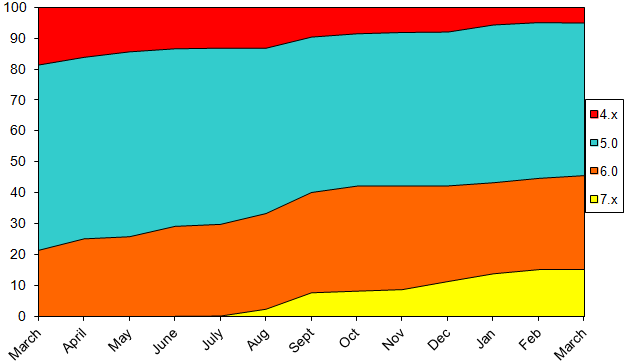
You need to think before you speak, and put the proper message out there. A month ago I announced that I was no longer going to be supporting BlackBerry devices running OS 4.x in what was actually a rather similar decision. Sure, I was cutting off support for potentially millions of BlackBerry users, because I had determined it wasn’t worth the time. But because I considered the audience that would be reading it, the post got a very different reaction.

In part it was because I wasn’t cutting off support for current devices, but also because I didn’t try to coddle it in half-hearted feel good, whishy washy language. I actually have yet to hear from anyone bothered by my decision.

YouMail’s CEO Alex Quilici however, went out of his way to made things worse, by complaining about BlackBerry to CNN instead of talking up the new features they had just added. Ending with plea for some help from RIM is unlikely go answered, give the unnecessary bad press that YouMail is giving the company. Instead, Alec Saunders is quite understandably pissed off, and called for Quilici to fold his company. (Have I mentioned that this is why I love Saunders?)

It may make sense for YouMail to focus on iOS and Android over BlackBerry (in the short term), but that doesn’t make it a good idea to turn friends in enemies. Yes, you need to be bold, and speak your mind, but you also need to consider the fall out from of what you say. Everything you do has an impact on your brand, and sometimes a stupid blog post has more impact then your app.
Simple Dice available for OS7 devices

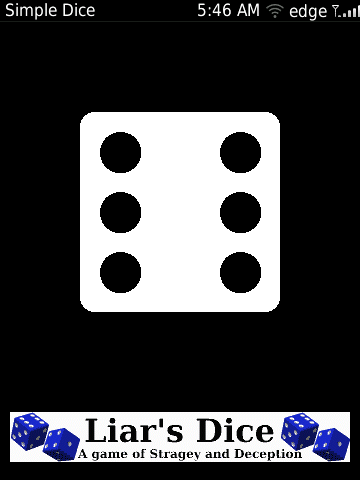
The Simple Dice app is now available for touchscreen devices running OS 7 (or higher). The Bold 9900/9930 is now supported as well as the Torch 9810, and the Torch 9850/9860. This is in addition to support for the Storm 9500/9530/9520/9550, Torch 9800, and Curve 9380 which were all already supported.

About Simple Dice

This is just a simple virtual die that you can have on your phone. This free application is handy if you need a die to play a game, or just need to have a random number between one and six.

Links & Information

Problems with the PlayBook Android player

While visiting with family for the weekend, my sister had a complaint about her PlayBook. She told me that sometimes the apps “open on top of each other”, and that then the previous apps “is no longer there”. She noticed that it “only does it to some apps”, and was happy to report that none of my apps did this.

Without knowing it she was, of course, talking about the Android app player. And how despite looking like any other app when on the homescreen, launches within the Android app player and acts very different then all other apps when multitasking.

This is a bit of a serious issue when it comes to user expectations and consistency of the interface. As a developer, I understand why these apps act differently, but for the typical consumer it is utterly baffling. When noticing the bar of app icons at the bottom of the android app play (which slides up from the bottom, after you swipe down from the top bezel) my sister noted that it has “all these things open that I haven’t had open in days, and those shouldn’t be open”. As to if those apps were actually still open or not, is a question that even I don’t know the answer to.

This inconsistent user interface is something that should be addressed in future versions of the OS. Or at the very least, RIM needs to be more upfront about the limitations of Android apps on the PlayBook, and start pushing more native technologies.

Posting to Facebook and Twitter

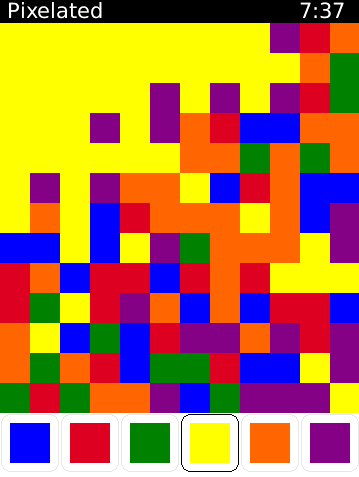
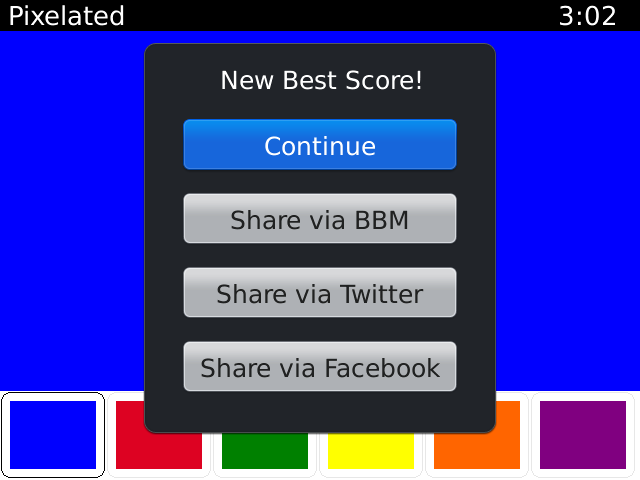
The following code will help you post to Facebook or Twitter from a BlackBerry Java application. This code requires the use of some API elements that were not introduced until OS 7 so you will want to use a different build in order to continue to support older devices. This code was used in version 3.1 of the game Pixelated.

Code for posting to Facebook


public void postToFacebook(String text)
{
JSONObject context = new JSONObject();
MenuItem fb = null;
try
{
context.put(SendCommandContextKeys.TEXT, text);
SendCommand[] sendCommands = SendCommandRepository.getInstance().get(SendCommand.TYPE_TEXT, context, false);

if (sendCommands != null && sendCommands.length > 0)
{
SendCommandMenu scm = new SendCommandMenu(sendCommands, 0, 0);
SendCommandMenuItem[] scmi = scm.getSendCommandMenuItems();
for(int i=0;i<scmi.length;i++)
{
if(scmi[i].toString().equals("Facebook"))
{
fb = scmi[i];
}
}
fb.run();
}
}
catch(Exception e){}
}

Code for posting to Twitter


public void postToTwitter(String text)
{
JSONObject context = new JSONObject();
MenuItem tw = null;
try
{
context.put(SendCommandContextKeys.TEXT, text);
SendCommand[] sendCommands = SendCommandRepository.getInstance().get(SendCommand.TYPE_TEXT, context, false);

if (sendCommands != null && sendCommands.length > 0)
{
SendCommandMenu scm = new SendCommandMenu(sendCommands, 0, 0);
SendCommandMenuItem[] scmi = scm.getSendCommandMenuItems();
for(int i=0;i<scmi.length;i++)
{
if(scmi[i].toString().equals("Twitter"))
{
tw = scmi[i];
}
}
tw.run();
}
}
catch(Exception e){}
}