Archive for the ‘Binary Clock’ Category

Version 2.2 of Binary Clock app released

Friday, May 11th, 2012

The Binary Clock application has been updated to version 2.1 in BlackBerry AppWorld. This update adds pink and orange as additional color options. Also if you have made the $0.99 in-app purchase to automatically display the clock when charging, the app will now show when charging via, a charging pod, as well as when charging via USB.

How to read

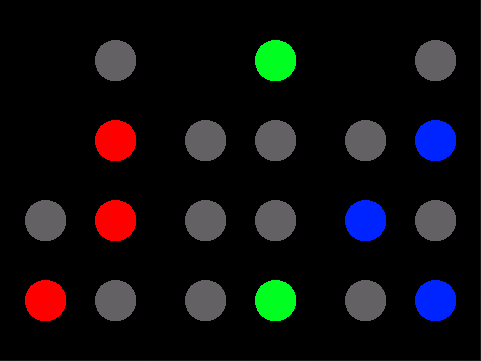
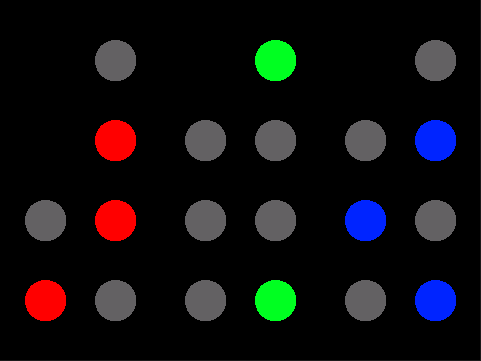
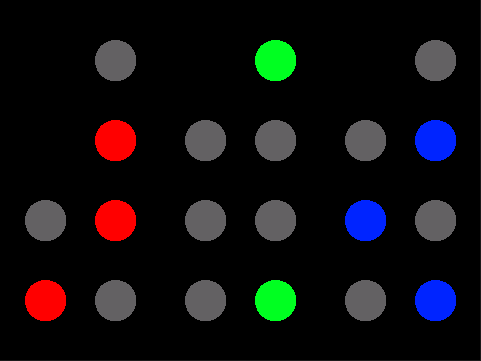
A binary coded decimal can be read with each column added up with each light worth (from top to bottom) 8, 4, 2, and 1, and the column on the left being worth 40, 20, and 10. This is done with each set, which (from left to right) are for hours, minutes, and seconds. For example, the clock to the right shows a time of 4 hours, 22 minutes, and 37 seconds. For more information on reading Binary Coded Decimals see Wikipedia.

Links & Information
Binary Clock reaches 100 reviews

Wednesday, March 28th, 2012

The Binary Clock app for BlackBerry has reached 100 reviews. Currently it is averaging a solid three and a half stars. The app was updated just last month, and now includes a 12 hour mode, and an in-app purchase to display whenever the phone is charging. Thanks to everyone for the great reviews.

Links & Information

Binary Clock updated

Tuesday, February 28th, 2012

The Binary Clock application has been updated to version 2.1 in BlackBerry AppWorld. This update adds the option to place the clock in a 12 hour mode instead of the default 24 hour mode. You can also now turn off the screen while the phone is charging, by using the lock screen button. To be able to set the clock to display while the phone is charging you will need to make a $0.99 in-app purchase.

How to read

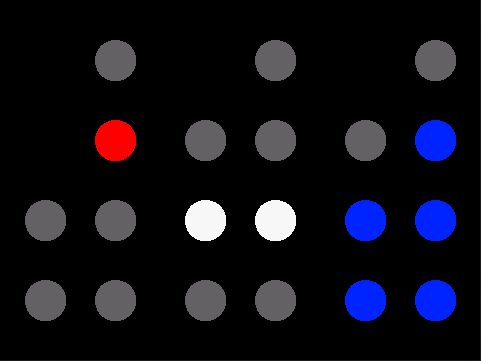
A binary coded decimal can be read with each column added up with each light worth (from top to bottom) 8, 4, 2, and 1, and the column on the left being worth 40, 20, and 10. This is done with each set, which (from left to right) are for hours, minutes, and seconds. For example, the clock to the right shows a time of 4 hours, 22 minutes, and 37 seconds. For more information on reading Binary Coded Decimals see Wikipedia.

Links & Information

Binary Clock version 2.0

Friday, January 27th, 2012

The Binary Clock application has been updated to version 2.0 in BlackBerry AppWorld. This update improves they layout and design of the menus, as well as add an option to upgrade for additional features for only a dollar. After upgrading, you have the option of setting the Binary Clock, to display by default while the phone is charging, or plugged into a computer. This setting can be turned on or off in the options page.

How to read

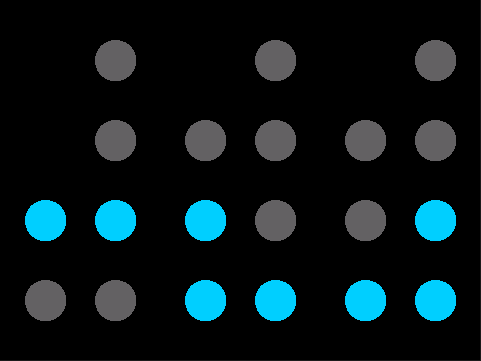
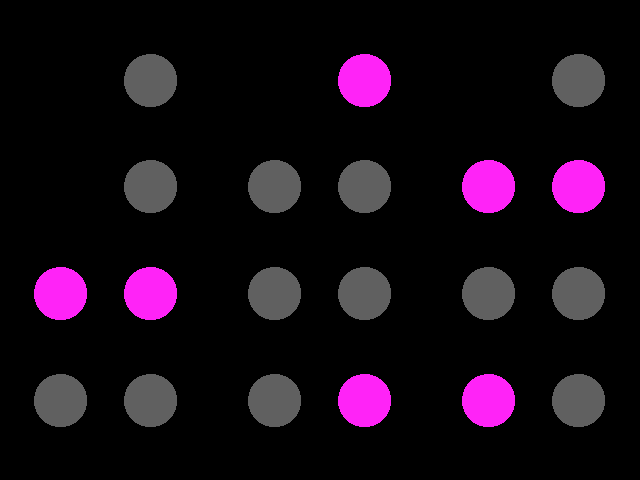
A binary coded decimal can be read with each column added up with each light worth (from top to bottom) 8, 4, 2, and 1, and the column on the left being worth 40, 20, and 10. For example the time in the above image would be 16 hours, 9 minutes, and 25 seconds.

Links & Information

Binary Clock app updated

Friday, August 5th, 2011

The Binary Clock application has been updated to version 1.1 in BlackBerry AppWorld. This free app displays the time as a binary coded decimal, with the hours, minutes, and seconds of the day displayed in a colour of your choice.

New in Version 1.1

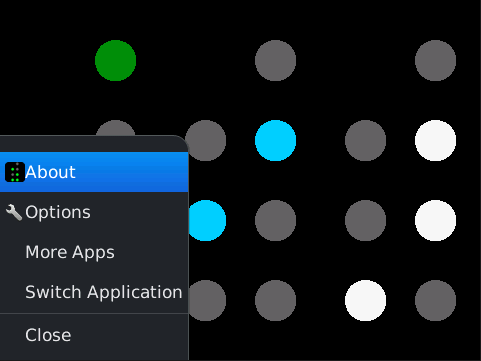
The update adds support for the recently announced BlackBerry 7 devices including the 9810, 9850, 9860, 9900, and 9930. Also the app now integrates with the native BlackBerry options menu, so you can change settings from there if you wish.

How to read

A binary coded decimal can be read with each column added up with each light worth (from top to bottom) 8, 4, 2, and 1, and the column on the left being worth 40, 20, and 10. For example the time in the above image would be 16 hours, 9 minutes, and 25 seconds.

Links & Information

Free Binary Clock Application

Wednesday, June 8th, 2011

Now in BlackBerry AppWorld you can download the Binary Clock app for free. This app displays the time as a binary coded decimal, with the hours, minutes, and seconds of the day displayed in the colour of your choice.

How to read

A binary coded decimal can be read with each column added up with each light worth (from top to bottom) 8, 4, 2, and 1, and the column on the left being worth 40, 20, and 10. For example the time in the above image would be 16 hours, 9 minutes, and 25 seconds.

Supported Devices

This app requires a minimum OS of 4.6 and supports the 8330, 8350i, 8520, 8530, 8900, 8910, 8980, 9300, 9330, 9500, 9520, 9530, 9550, 9630, 9650, 9700, 9780, and 9800.

Links & Information