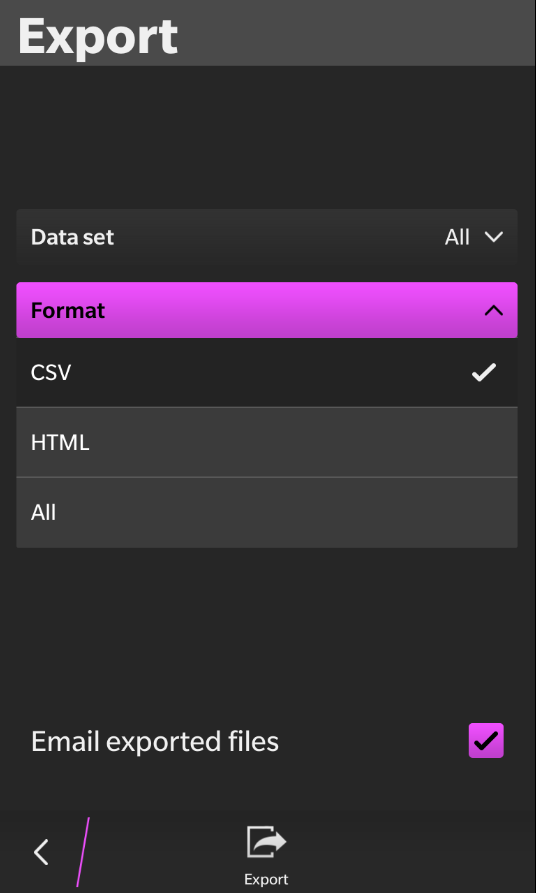
 With the release of BlackBerry 10.3 later this year Cascades apps will have the ability to set a custom highlight color. While this is typically defined in the bar-descriptor.xml file, doing so will prevent any theme from being applied when the app is run on phones running an older operating system. Fortunately there is a workaround. (Thanks to Derek Konigsberg for pointing out how to do this).
In short you can override the CASCADES_THEME environmental variable in the brief window between the app being launched, and the creation of the app’s UI. The following code sets a dark theme with pink highlights when run on OS 10.3 and sets a simplier dark theme for older OS versions.
Q_DECL_EXPORT int main(int argc, char **argv)
{
    bb::platform::PlatformInfo p_info;
    QString ver = p_info.osVersion();

    if(ver.startsWith("10.0") || ver.startsWith("10.1") || ver.startsWith("10.2"))
    {
        qputenv("CASCADES_THEME", "dark");
    }
    else
    {
        qputenv("CASCADES_THEME",
            "dark?primaryColor=0xF04FFF");
    }

    Application app(argc, argv);
    MileageTrackerApp mainApp(&app);
    return Application::exec();
}
The recently updated Mileage Tracker app (pictured above) is an example of an app that is using this technique.