PlayBook on the Shopping Channel

A few days ago in RIM was selling the BlackBerry PlayBook on the Shopping Channel in Canada. While this is not something that I expected, I am endlessly fascinated by the concept.

This was first brought to my attention by former director of developer relations Mike Kirkup in a Twitter post. CrackBerry then linked to a video. Best guess is that they sold over 2,200 PlayBook bundles over the course of the day at $400 each.

First of all they were not just selling the base model PlayBook. Instead they were selling the 32GB PlayBook with the rapid charger, a case, and a HDMI cable. I understand the bundled items. Markup on things like cables and cases is much higher then it is for electronics so including these allowed RIM to get better margins, and to bump up the retail price of the package (which the sale price is compared to). But why the 32GB version? If RIM wanted to wow with low prices, they could have gone with the 16GB version. If RIM wanted to get the best margins they could have gone with the 64GB version. Instead they took an odd hybrid route. (Maybe they have a greater amount of spare inventory at the 32GB level).

The bill of materials (BOM) on the 32GB PlayBook is estimated to be around $330. Assuming a BOM of about $40 for the accessories, and another $10 for shipping costs RIM probably made a (small) profit on each one of these units. Which is far better then the money they were losing on their black friday sales. And the actual unit sales were significant. 2200 sold in one day is impressive once you consider that in early November (prior to the price drop) the PlayBook was only selling around 3300 units per day.

And then there are the demographics. As someone whose livelihood is based on selling apps the question is what does this demographic think of buying apps? I have no idea. Hopefully people willing to spend $400 to impulsively buy something off the TV won’t think twice about spending $3 to download a game. But really I have no idea.
Thoughts on AdvancedUI for Java

While it has been available for awhile now, RIM has recently open sourced their AdvancedUI for Java classes and added them to github. If you have not downloaded these classes before, you should do so.

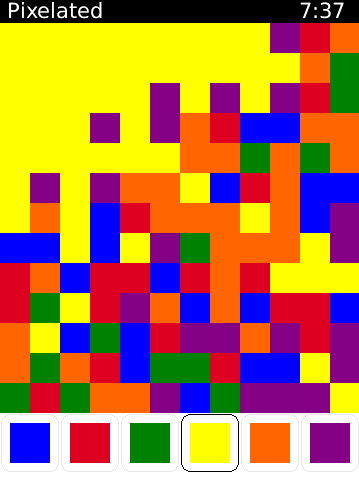
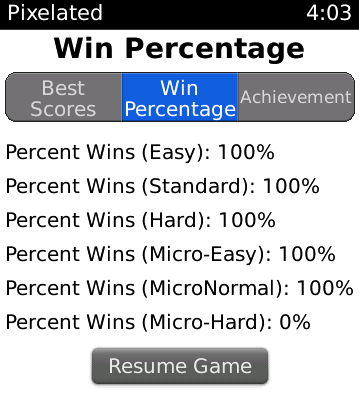
I first found out about these classes in early 2010, and have pretty much used at least one of them in every release since then. For an example the menu on top of the statistics pages in Pixelated (as seen to the right) is done with the Pillbox Class from this collection.

The JustifiedVerticalFieldManager is another favorite, which makes many good looking designs much easier to create.

The bigger question is why these were have not been included in the OS for awhile now. Publicly posting these classes again is nice for giving them some added visibility, but nothing compares to simply adding them to the OS. While doing so now would be kind of pointless (is anyone ever going to make an app that requires a minimum of OS 7.1?) all indications are that they could have done so a few years ago. The copy in github has had its metadata updated, but when these classes were first released they were dated as having been created in 2008. Even if you allow for the fact that they may not have been ready for the launch of OS 4.7.0 I have no idea why they were not included in OS 5.0 when it was released in late 2009. Today OS 5.0 is the minimum threshold for most developers, and it would be nice to simply have these features baked in.

But far more importantly then the convenience for me, is the fact that these classes should be far more readily available for all developers. My guess is that there are many devs making BlackBerry Java apps without any clue that these classes exist. And that doesn’t help anyone.

While it may be too late for these classes to get the visibility that they deserve, lets hope that RIM doesn’t repeat this mistake with their BBX tools. Although on a related note, the WebWorks getting started page does not include any links to bbUI.js, perhaps that could be a start.

Pixelated Plus on the Nook

Pixelated Plus in now available on the Nook Color, and the Nook Tablet. This offers all of the same options as the BlackBerry version of the game does.

The app supports seven color schemes, three grid sizes, and multiple difficulty levels. The game fully supports English, Spanish, Dutch, French, and Portuguese.

About Pixelated Plus

Pixelated Plus is an addicting puzzle based strategy game that requires a mixture of skill and luck in order to accomplish. The object of the game is to change the colour of the squares until the entire screen is a single solid colour. Starting with the square in the upper left corner you can change the colour of the blocks in order to match that of the surrounding squares. This is done repeatedly until the entire screen is a single colour. The object of the game is to clear the screen in as few moves as possible. Under the default settings you must do so in under 22 moves in order to win.

Links & Information

Twinkle updated to version 3.3

Twinkle has been updated to version 3.3 in BlackBerry AppWorld. This new version adds the ability to import Birthdays from contacts, additional ways to share events, random color selection, some stability improvements, and improvements to bulk importing of existing events.

Importing Birthdays from Contacts

You can now select a friend from your contacts, and if you already have their birthday included in their info, you can select “Add Birthday to Twinkle” from the menu, the contacts birthday will automatically show up in Twinkle.

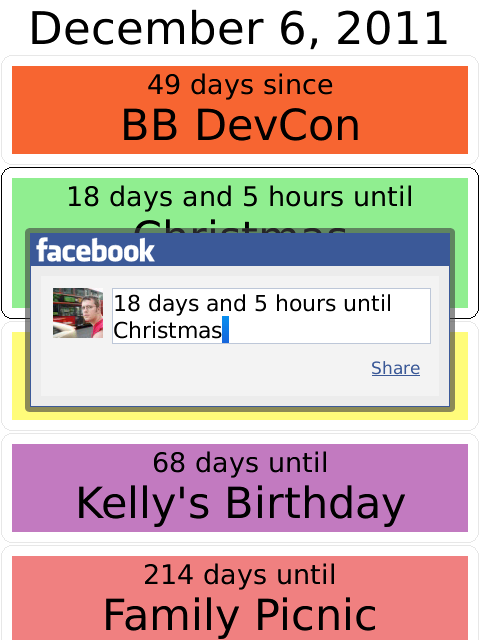
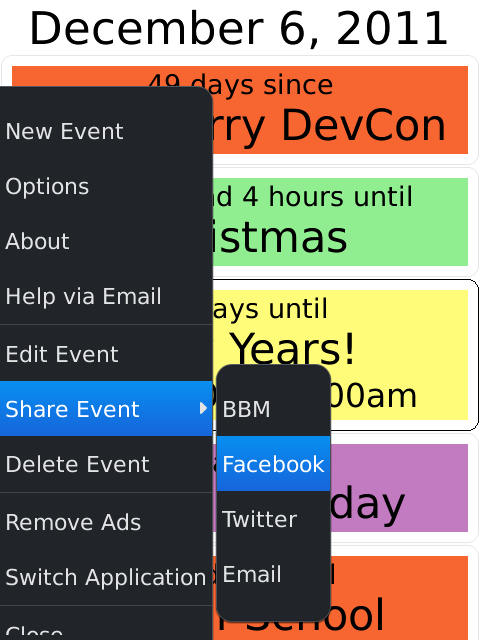
Share events through Facebook and Twitter

Users with running OS 7.0 or higher now have additional options for sharing events. In addition to sharing events over BBM as before, you can now also share events over Facebook, Twitter, and E-mail.

While BBM is still the preferred way to share events, those looking to post things more widely will appreciate the ability to post an event as a status update to one of these social networking sites.

Random colors

Also new in this version of Twinkle is the ability to set the default color to random on the options screen. The result of this is that any new event you create, or import to Twinkle will be given a random color. If you don’t like the color that was selected, you can also change the color by editing the event. The colors of events that are already in Twinkle will not be affected.

Import all from Calendar improvements

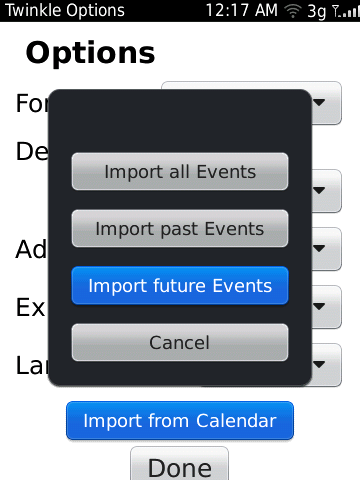
Version 3.2 added the ability to bulk import events from the calendar. This update refines the options some, by asking if you want to import all events, or just events from the future, or just from the past. As before you will be asked to confirm the number of events that you are adding to Twinkle, so you don’t accidentally import far more events then you intended to.

About Twinkle

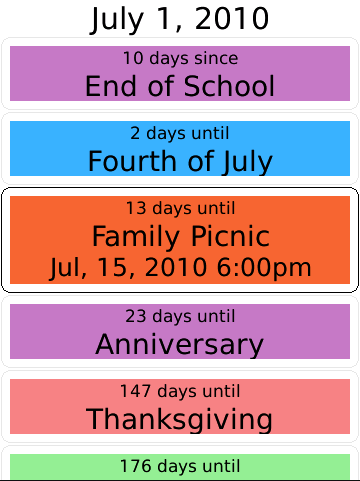
Twinkle is a simple application that allows you to set and keep track of upcoming and past events, and (optionally) share them your friends. Twinkle will tell you how far away an event is, and allows you to send events to and from your BlackBerry’s native calendar, or to your friends on BBM. Twinkle gives you the ability to add and edit events, lets you keep track of how soon something is, or how long it has been since an event, and to search for all of these events through BlackBerry’s universal search. In recognition of this deep integration with the device, Twinkle was named a Regional Selections Winner in the 2010 BlackBerry Super Apps Challenge.

Links & Information

The benefits of BBM connected apps

Twinkle is an app that allows you to set and keep track of upcoming and past events, and share them with your friends. The app is free and contains a small advertisement that can be removed through an in-app purchase.

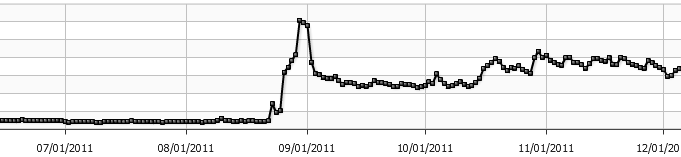
Because fetching the advertisement requires a request to a server, we can look at ad requests in order to get a look at approximate how often Twinkle is being used. While the app was released about a year and a half ago, the last few months worth of ad requests are shown in the chart below.

Version 3.0 of Twinkle added the ability to share events with your friends over BBM. Based on the above graph can you see when this update was released?

The existence of the BBM API has fundamentally changed the nature of this app. It has gone from a simple date tracker with calendar integration, to a complete social experience. While you can still choose to not make use of the app’s social features, it appears that most people are. Version 3.3 of Twinkle (coming soon) will expand these social features ever further with OS7 devices also able to share Twinkle events over Twitter, FaceBook, and Email. The typical usage of this app has completely changed from just five months ago.

How to invoke AppWorld in ActionScript

The ActionScript SDK for BlackBerry AppWorld does not include any published api’s to directly invoke native applications such as BlackBerry AppWorld. There is however a round about way to do so. The navigateToURL() method can be used to launch the web browser. Furthermore the browser intercepts specific app URLs to launching BlackBerry AppWorld instead. So if you wanted to launch AppWorld directly from inside an ActionScript app, all you need to do is to use the navigateToURL() method by pointing it at an AppWorld URL.

The following is an event that is fired following a click to a “Launch AppWorld” button.

public function lauchAppWorld(event:MouseEvent):void
{
navigateToURL(new URLRequest(“http://appworld.blackberry.com/webstore/content/1839”))
}

You can test this approach by simply entering the URL into the browser on your PlayBook. The one downside this course of action has however, is that along the way you will end up launching the browser with a blank window. But until more API’s are available this is at least an approach that works.

Update:

A better approach has been found. In order to go straight to AppWorld you can use navigateToURL() with a link in the format “appworld://content/1839” instead. The below approach is much cleaner and preferred to the work around listed above.

public function lauchAppWorld(event:MouseEvent):void
{
navigateToURL(new URLRequest(“appworld://content/1839”))
}

Version 2.5 of Pixelated

The free version of Pixelated has been updated to version 2.5. This new version improves navigation using the trackpad, and adds support for the BlackBerry PlayBook.

About Pixelated

Pixelated is an addicting puzzle based strategy game that requires a mixture of skill and luck in order to accomplish.

The object of the game is to change the colour of the squares until the entire screen is a single solid colour. Starting with the square in the upper left corner you can change the colour of the blocks in order to match that of the surrounding squares. This is done repeatedly until the entire screen is a single colour.

The object of the game is to clear the screen in as few moves as possible. Under the default settings you must do so in under 21 moves in order to win.

New in version 2.5

Trackpad support has been expanded so that you can also flick up and down in order to scroll through the colour options as well as left and right. Also the BlackBerry PlayBook tablet is now supported, although there are a few issues that will be fixed soon, so it is actually recommended that you wait until version 2.6 is out before adding this game to your PlayBook. If all goes according to plan, version 2.6 of Pixelated will be out this time next week.

Links & Information

Hockey Scores updated to version 2.6

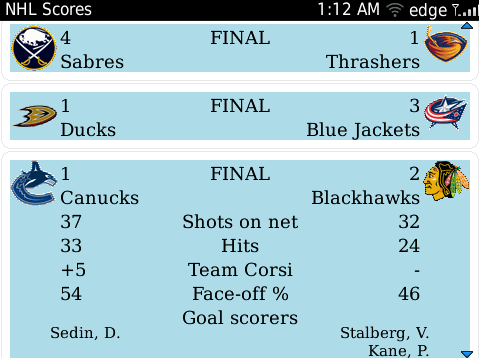
The Hockey Scores BlackBerry application has been updated to version 2.6 improving the quality of the images used for the team logos, as well as expanding the number of keyboard shortcuts that can be used within the application.

Keyboard Shortcuts

Keyboard shortcuts are supported within the Hockey Scores application on all full-qwerty devices. Pressing ‘e’ or ‘enter’ expands the currently selected game to show details. Pressing the ‘n’ key moves the selection to the next game, while ‘p’ moves the selection to the previous game. Pressing ‘t’ moves the selection to the top of the screen, while pressing ‘b’ moves the selection to the last game listed.

Device Support

Hockey Scores runs on all BlackBerry devices running OS 4.6.0 or higher. This includes the 8330, 8350i, 8520, 8530, 8900, 8910, 9000, 9100, 9105, 9300, 9330, 9500, 9520, 9530, 9550, 9630, 9650, 9670, 9700, 9780, and 9800.

Links & Information

RIM’s PlayBook development guide is wrong

I recently found some issues with my apps on the BlackBerry PlayBook. These issues were a direct result of following RIM’s BlackBerry Tablet development guide. They need to fix this and stop making suggestions that simply do not work.

The article wisely recommends that you make sure that the application’s state is saved when it is deactivated and pushed to the background, but recommends a technique that is inconsistent at best. They are recommending that you save data by listening for Event.DEACTIVATE which detects when another application receives focus. However this event is never fired when the application exits (unless you run in Paused mode like the simulators used to). Assuming that you could use this approach to save data upon exiting is at the root of a lot of the problems in the early PlayBook applications.

Instead you can actually detect the application closing by using NativeApplication.nativeApplication.addEventListener(Event.EXITING,saveData) to listen for an exiting event, and saving data then. Until RIM’s development guide on the life cycle of PlayBook applications mentions this, it will just be wrong.

Xploding Boxes updated to version 1.3

Xploding Boxes has been updated to version 1.3 adding 20 new levels, new features, and some bug fixes. This brings the total number of levels up to 150.

About Xploding Boxes

Xploding Boxes (also known as Exploding Boxes) is a strategy game for BlackBerry where the goal of the game is to start a chain reaction that will explode all of the boxes on the screen. Each level gives you a different number of clicks, and requires a different strategy to solve. The first 25 levels are free, while the rest of the levels can be accessed by making an in-application payment.

Xploding Triangles

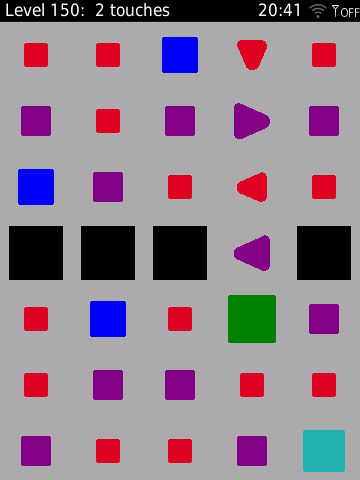
Introduced in the new levels with this update are xploding triangles that only release a single bullet after they blow up. Like the black boxes introduced earlier this allows for more variety and complexity in the design of the levels.

Fix of 30222 Error

In previous versions some users encountered a 30222 error, after trying to upgrade the app after deleting the and reinstalling it. This problem has been addressed in version 1.3 of Xploding Boxes, but a few users may additionally need to archive the application, and then restore from there in order to be able to access the full version.

Links & Information

Pixelated Plus on the PlayBook does not save your data

I just wrote yesterday about the problems some applications will have on the PlayBook at launch due to a complete lack of testing. Just a few hours ago RIM finally updated the simulator, and it reveals that under normal situations your game data in my application will not be saved.

As such Black Out will be pulled from AppWorld until it can be updated to version 1.1 and tested on an actual device. Pixelated Plus and the free version of Pixelated will remain for sale in order to not disrupt the many customers using the application on their phones. The free version of Pixelated has not yet been approved in AppWorld, but probably will be later this week.

An update to these applications is (obviously) going to be a top priority and will be released as soon as possible. Until then, however, THE ONLY WAY TO ENSURE THAT YOUR PROGRESS IN THE GAME IS SAVED IS TO OPEN UP THE GAME OPTIONS AND CHANGE THE COLOUR SCHEME. So at least there is a workaround (as bizarre as it may be).

The disappointing thing is that this issue could have been avoided completely had RIM just send out devices to developers a week ago. Although the issue has not yet had time to be fully investigated, a few days notice probably would be enough to have this fixed by the launch of the device. Instead Research in Motion is sending out units to developers a week late, which is just going to delay everyone getting their applications updated even more.

Early PlayBook applications will reflect the shortcomings of the simulator

The BlackBerry PlayBook goes on sale tomorrow, but the applications that will be available for download at the start will reflect the shortcomings of the simulator that they were designed in. Developers have still not received their devices yet (and ironically may be among the last to do so), while the simulator used for developing PlayBook applications is based on a build that is around two months out of date at this point. As a result most of the applications in AppWorld for the PlayBook are very under-tested, and will be for the first few weeks after the PlayBook’s release.

First most of the applications will reflect the limitations of the simulator which didn’t support things like the accelerometer, and multi-touch. As such very few of the initial applications will make use of these features even though they will be available from day one. Additionally there will be very few applications that work in portrait orientation. Related to the lack of accelerometer support, the implementation of this in the simulator was a bit clumsy, and not entirely clear.

The other issue, is that these applications have not yet been tested on version 1.0 software or a real device. As such there are many settings and situations that these applications have not been tested under and developers do not yet know if bugs exist or not.

The Ebscer applications that will be available for the BlackBerry PlayBook this week will be Pixelated, Pixelated Plus, and Black Out. While I hope that these applications are in good shape, they honestly represent the least tested applications that I have ever released. The only evidence that I have of them running on an actual device is a tweet from Alex Kinsella saying that he enjoyed Pixelated Plus. There are rumors among the developers that they way I implemented saving data and displaying the menu may have issues. Expect all of these applications to receive another update in the near future.

As I said about PlayBook battery life

For quite a while now there have been varying reports that the battery life on the BlackBerry PlayBook was going to be disappointing. I have been quick to claim otherwise starting just days after it was announced, and continuing even when some analysts felt the need to say otherwise. So now that the PlayBook reviews are finally coming out how does the PlayBook’s battery actually do?

From Joshua Topolsky “the battery lasted nearly 11 hours — an outstanding run for a device of this type“ and from Jonathan Geller at Boy Genius Report “The battery life on the PlayBook has been extremely, extremely good. It lasts for days and I rarely worry about remembering to charge it.“

It looks like I was right all along…